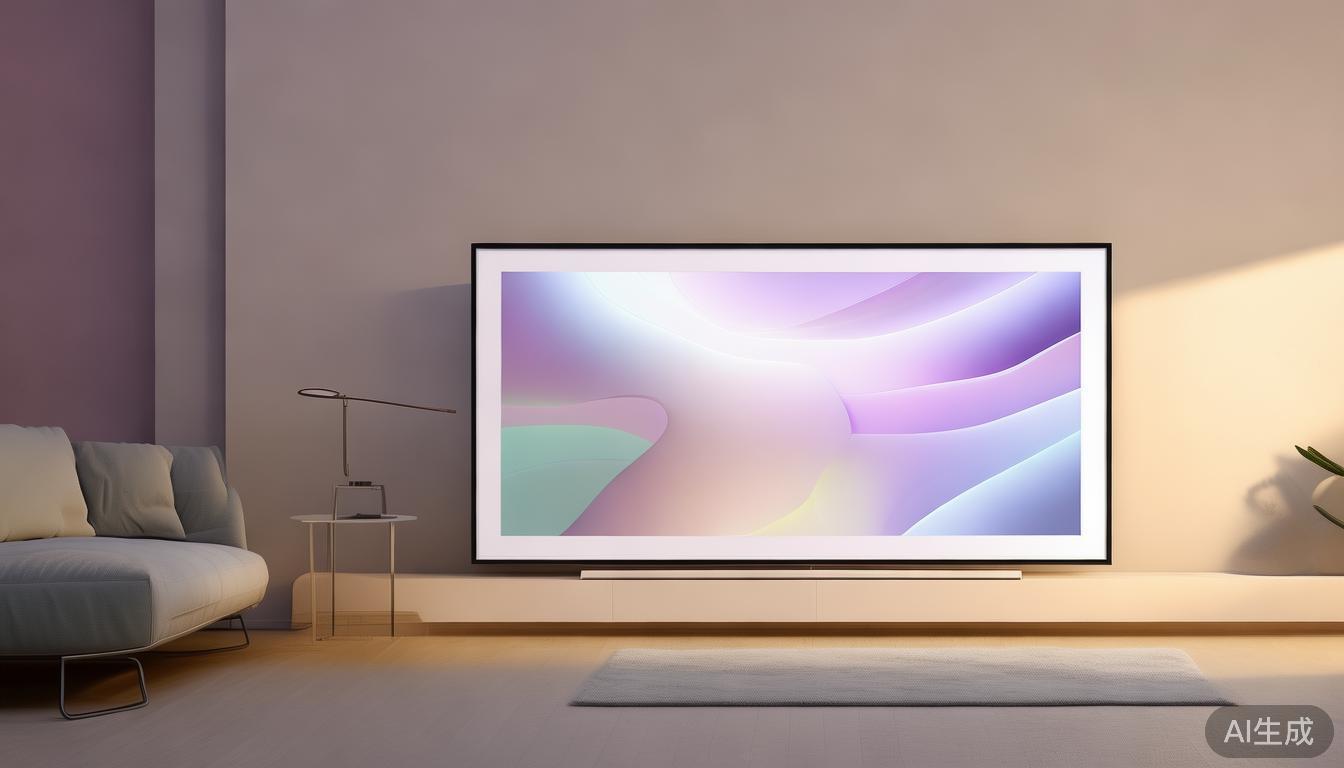
为三星 The Frame 打造更宁静的主屏幕:CleanFrame 介绍
三星 The Frame 不仅仅是一台智能电视,更是一件彰显品味的家居艺术品。凭借其流畅的设计、无缝的无屏模式以及内置的智能功能,它旨在融入任何家居环境,同时提供卓越的观影体验。然而,像所有智能设备一样,它有时也会显得杂乱无章——被通知、小部件和连接家庭的一般数字噪音所淹没。这就是 CleanFrame 发挥作用的地方。
CleanFrame 解决了什么问题?
对于三星 The Frame 用户而言,主屏幕是访问设备功能的入口。在这里,您可以访问应用程序、控制设置以及与通知进行交互。但随着时间的推移,这个屏幕可能会变得杂乱无章,将简约设计变成一个混乱的数字中心。CleanFrame 旨在通过去除不必要的元素来解决这一问题,留下一个更简洁、更专注的界面。
The Frame 的默认主屏幕虽然功能齐全,但其基于三星 One UI 构建,优先考虑应用程序建议、系统通知和各种功能的快速访问。对于偏好简约风格的用户来说,这可能会造成干扰。CleanFrame 通过提供一种简化的替代方案来改变这一点。
CleanFrame 是如何工作的?
CleanFrame 是一款专为三星 The Frame 设计的自定义启动器。它重新构想主屏幕,通过移除冗余元素,专注于真正重要的事情:以最少的麻烦访问您的应用程序和内容。以下是其实现这一目标的详细说明:
1. 简化布局
CleanFrame 的核心是其布局。与默认主屏幕通常默认显示建议应用程序和系统小部件的网格不同,CleanFrame 提供了更传统的启动器体验。您会得到一个干净、有序的空间,应用程序以网格或列表的形式呈现,具体取决于您的偏好。这使得查找所需内容更快且不那么侵扰。
2. 可定制的图标和主题
CleanFrame 的突出特点之一是其灵活性。用户可以使用各种图标包和主题自定义主屏幕的外观。这允许您保持一致的美学,同时根据您的喜好个性化界面。无论您偏好简约图标还是更丰富多彩的设计,CleanFrame 都能满足您的需求。
以下是如何使用 CleanFrame 自定义主屏幕的示例:
{
  "theme": "Minimalist",
  "icon packs": [
    "Apps",
    "Media",
    "Settings"
  ],
  "layout": "Grid"
}
这个 JSON 片段代表了一个简单的配置,其中用户选择了“Minimalist”主题,并指定了要包含哪些图标包,以及采用网格布局。
3. 通知管理
通知是智能设备上常见的杂乱来源。CleanFrame 通过提供更精细的通知显示控制来解决这一问题。您可以选择隐藏不太重要的通知或将它们按类别分组,确保只有最关键的通知会打断您的体验。
4. 无强制应用程序
默认的 Frame 主屏幕通常包含您可能永远不会使用的预装应用程序。CleanFrame 移除了这些应用程序,为您提供一个完全精简的主屏幕,其中每个元素都服务于您选择的目的。这不仅减少了视觉杂乱,还加快了导航速度,因为您不必在无关紧要的应用程序中摸索。
您为什么要使用 CleanFrame?
对于重视简约和极简主义的三星 The Frame 用户来说,CleanFrame 提供了与默认主屏幕的引人入胜的替代方案。以下是您可能考虑使用它的几个原因:
-
减少干扰:更简洁的主屏幕意味着更少的干扰,让您能够专注于使用设备的目的——观看电影、浏览内容或使用应用程序。
-
个性化:通过可定制的图标、主题和布局,CleanFrame 允许您根据您的确切需求和偏好定制主屏幕。
-
效率:通过移除不必要的元素,CleanFrame 使您能够更快地访问最常用的应用程序和功能,从而提升整体体验。
-
美学吸引力:如果您喜欢 The Frame 的流畅设计,CleanFrame 通过保持简约美学来与之相得益彰,确保您的主屏幕与设备的优雅外观相匹配。
谁应该考虑 CleanFrame?
CleanFrame 尤其吸引以下人群:
-
极简主义者:偏好无干扰界面并希望减少视觉噪音的用户。
-
高级用户:希望对主屏幕有更多控制权并熟悉自定义设置的用户。
-
注重设计的个人:欣赏干净、协调美学并希望主屏幕反映其个人风格的人。
如何开始使用 CleanFrame
如果您有兴趣尝试 CleanFrame,以下是如何开始使用的简要指南:
-
安装自定义恢复:要安装 CleanFrame,您需要在三星 The Frame 上安装自定义恢复,如 TWRP。这允许您刷写自定义 ROM 和启动器。
-
下载 CleanFrame:访问 CleanFrame GitHub 仓库 下载最新版本。
-
备份您的数据:在做出任何更改之前,确保备份您的数据,以避免丢失任何重要信息。
-
安装启动器:使用您的自定义恢复刷写 CleanFrame zip 文件。安装后,您可以将其设置为默认启动器。
-
自定义您的主屏幕:探索设置以根据您的喜好自定义图标、主题和布局。
结语
CleanFrame 不仅仅是一个启动器;它是一种理念。它关乎重新掌控您的数字空间,将一个可能杂乱的主屏幕转变为一个宁静且个性化的中心。对于厌倦了默认界面杂乱无章的三星 The Frame 用户来说,CleanFrame 提供了一股清新的空气——让您能够享受设备的全部潜力,而不会受到干扰。
如果您希望简化 The Frame 体验、减少视觉噪音并创建一个真正反映您风格的主屏幕,CleanFrame 值得探索。它证明了有时少即是多,在智能设备的世界里,这是一种令人耳目一新的变化。
核心要点
CleanFrame 将三星 The Frame 的主屏幕转变为一个更宁静、更个性化的空间,为用户提供了一个比默认界面更简洁的替代方案。通过移除不必要的元素并提供强大的自定义选项,它增强了整体观看和交互体验,使 The Frame 的使用更加愉快。无论您是极简主义者、高级用户,还是仅仅希望拥有更少杂乱数字环境的人,CleanFrame 都是您智能家庭设置中有价值的补充。
A Quieter Home Screen for Samsung The Frame: Introducing CleanFrame
The Samsung The Frame isn't just a smart TV; it's a statement piece. With its sleek design, seamless screenless mode, and integrated smart features, it’s designed to blend into any home while delivering a premium viewing experience. Yet, like any smart device, it can sometimes feel cluttered—overwhelmed by notifications, widgets, and the general digital noise of a connected home. This is where CleanFrame steps in.
What Problem Does CleanFrame Solve?
For Samsung The Frame owners, the home screen is the gateway to the device’s functionality. It’s where you access apps, control settings, and interact with notifications. But over time, this screen can become cluttered, turning a minimalist design into a chaotic digital hub. CleanFrame aims to address this by stripping away the unnecessary, leaving behind a cleaner, more focused interface.
The Frame’s default home screen, while functional, is built around Samsung’s One UI, which prioritizes app suggestions, system notifications, and quick access to various features. For users who prefer a more minimalist approach, this can be distracting. CleanFrame changes that by offering a streamlined alternative.
How Does CleanFrame Work?
CleanFrame is a custom launcher designed specifically for Samsung The Frame. It reimagines the home screen by removing extraneous elements, focusing on what truly matters: accessing your apps and content with minimal fuss. Here’s a closer look at how it achieves this:
1. Simplified Layout
The core of CleanFrame is its layout. Unlike the default home screen, which often defaults to a grid of suggested apps and system widgets, CleanFrame offers a more traditional launcher experience. You get a clean, organized space where apps are presented in a grid or list, depending on your preference. This makes finding what you need faster and less intrusive.
2. Customizable Icons and Themes
One of the standout features of CleanFrame is its flexibility. Users can customize the appearance of their home screen with a variety of icon packs and themes. This allows you to maintain a cohesive aesthetic while personalizing the interface to your liking. Whether you prefer minimalistic icons or something more colorful, CleanFrame has you covered.
Here’s an example of how you might customize the home screen with CleanFrame:
{
  "theme": "Minimalist",
  "icon packs": [
    "Apps",
    "Media",
    "Settings"
  ],
  "layout": "Grid"
}
This JSON snippet represents a simple configuration where the user has chosen a "Minimalist" theme and specified which icon packs to include, along with a grid layout.
3. Notification Management
Notifications are a common source of clutter on smart devices. CleanFrame addresses this by offering more refined control over how notifications are displayed. You can choose to hide less important notifications or group them by category, ensuring that only the most critical alerts interrupt your experience.
4. No Mandatory Apps
The default Frame home screen often includes pre-installed apps that you might never use. CleanFrame removes these, giving you a completely bare-bones home screen where every element serves a purpose you’ve chosen. This not only reduces visual clutter but also speeds up navigation since you’re not wading through irrelevant apps.
Why Would You Use CleanFrame?
For Samsung The Frame owners who value simplicity and minimalism, CleanFrame offers a compelling alternative to the default home screen. Here are a few reasons why you might consider it:
-
Reduced Distractions: A cleaner home screen means fewer distractions, allowing you to focus on what you came to the device for—watching movies, browsing content, or using your apps.
-
Personalization: With customizable icons, themes, and layouts, CleanFrame lets you tailor the home screen to your exact needs and preferences.
-
Efficiency: By removing unnecessary elements, CleanFrame makes it quicker to access the apps and features you use most, enhancing your overall experience.
-
Aesthetic Appeal: If you love the sleek design of The Frame, CleanFrame complements it by maintaining a minimalist aesthetic, ensuring your home screen matches the device’s elegant form factor.
Who Should Consider CleanFrame?
CleanFrame is particularly appealing to:
-
Minimalist Enthusiasts: Users who prefer a clutter-free interface and want to reduce visual noise.
-
Power Users: Those who want more control over their home screen and are comfortable with customizing settings.
-
Design-Savvy Individuals: People who appreciate a clean, cohesive aesthetic and want their home screen to reflect their personal style.
Getting Started with CleanFrame
If you’re interested in giving CleanFrame a try, here’s a quick guide on how to get started:
-
Install a Custom Recovery: To install CleanFrame, you’ll need a custom recovery like TWRP on your Samsung The Frame. This allows you to flash custom ROMs and launchers.
-
Download CleanFrame: Visit the CleanFrame GitHub repository to download the latest version.
-
Backup Your Data: Before making any changes, ensure you back up your data to avoid losing any important information.
-
Install the Launcher: Use your custom recovery to flash the CleanFrame zip file. Once installed, you can set it as your default launcher.
-
Customize Your Home Screen: Explore the settings to customize icons, themes, and layout to your liking.
Final Thoughts
CleanFrame is more than just a launcher; it’s a philosophy. It’s about taking back control of your digital space, turning a potentially cluttered home screen into a serene and personalized hub. For Samsung The Frame owners who are tired of the default interface’s clutter, CleanFrame offers a breath of fresh air—a chance to enjoy the device’s full potential without the distractions.
If you’re looking to simplify your The Frame experience, reduce visual noise, and create a home screen that truly reflects your style, CleanFrame is worth exploring. It’s a testament to the idea that sometimes, less is more—and in the world of smart devices, that’s a refreshing change.
Takeaway
CleanFrame transforms the Samsung The Frame’s home screen into a quieter, more personalized space, offering users a cleaner alternative to the default interface. By removing unnecessary elements and providing robust customization options, it enhances the overall viewing and interaction experience, making the The Frame even more enjoyable to use. Whether you’re a minimalist, a power user, or simply someone who wants a less cluttered digital environment, CleanFrame is a valuable addition to your smart home setup.